



Three so-called Bowden cables run from there to the duct housing, often called the "duct box." This housing contains the air valves that direct the air flow in the desired direction.
Replacing cable drives
Removal and installation are the same for almost all cable drives.
Remove the radio.
If necessary, remove the center console storage compartment (see chapter "Salon").
Now you can pull the heating and ventilation control unit out of the dashboard a little, just enough to reach the Bowden cable mounts.
Using a screwdriver, press the drive cable counter support out of the latch on the drive block.
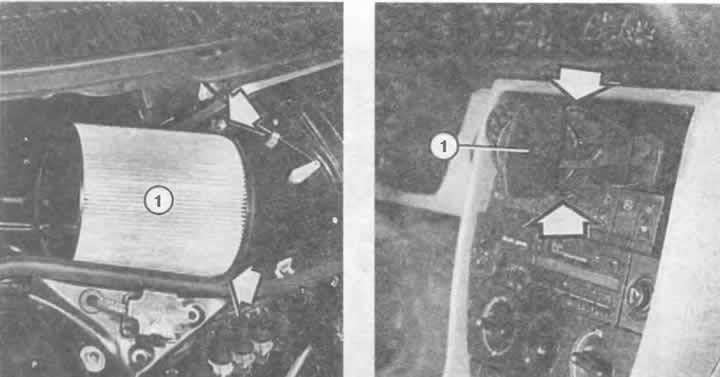
Left: The dust filter (1) is secured with two lock nuts (arrows) to the fan housing.
Right: The air nozzle (1) in the middle of the instrument panel has been removed. Both spring clips (arrow) holding the nozzle in its recess are clearly visible.
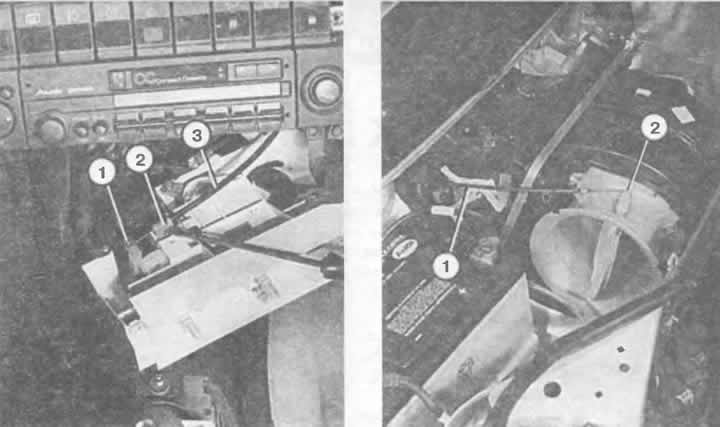
Air intake control cable. Removal:
Left: The system shows the cable with its loop (1) on the system lever. The cable sheath (3) rests on the support (2), which is installed in the control system. If the retainer breaks during removal, the support can be secured with a self-tapping screw for metal.
Right: The cable sheath (1) ends at the front of the support air damper. The cable itself (2) is suspended from the air damper lever.
The end of the cable is bent into a loop and loosely inserted into the drive lever.
On the air duct box, the Bowden cable sheaths are rigidly screwed to the lugs or secured with plastic latches.
Loosen the screws or press the latches and remove the clamps.