Repair Chevrolet Repair Toyota Repair Honda Repair AvtoVAZ Repair Mercedes-Benz Repair BMW Repair Opel
Home  |  Contacts  |  Sitemap  |    
English Русский
Български
Беларускі
Український
Српски
Hrvatski
Română
Polski
Slovenský
Magyar
AudiManual.ru


  • AUDI 80
  • AUDI 100
  • AUDI A3
  • AUDI A4
  • AUDI A6
  • AUDI A8
  • AUDI Q
  • OTHER
  • ARTICLES
B8 (2007-2015) B7 (2004-2008) B6 (2000-2006) B6 (2000-2006, petrol) B5 (1994-2001) B5 (1994-2001, petrol)

Front brake pads — replacement (Audi A4 B5)

  • Home
  • Audi A4
  • B5 (1994-2001)
  • Chassis
  • Brake system
  • Front brake pads — replacement
            0
Table of contents: ATE/Teves calipers ↓ Lucas Calipers ↓ All models ↓ ATE/Teves calipers ↓ Lucas Calipers ↓ All models ↓
Warning! Replace the entire set of brake pads at once, not the axle - never replace the pads on just one wheel, as this may result in uneven braking of the wheels. Keep in mind that the dust formed by the wear of brake pads containing asbestos is carcinogenic. Never use compressed air to clean the brakes, do not inhale the dust. Wear a protective mask when working with the brakes. DO NOT USE gasoline-based solvents to clean brake system parts - use brake cleaner or methyl alcohol.


1. Apply the handbrake. Raise the front of the car and install safety supports. Then remove the front wheels. When removing the wheels, tighten one bolt into each hub so that the brake discs do not move relative to the hub.

ATE/Teves calipers


2. Carefully remove the spring that holds the pads (Fig. 4.2).
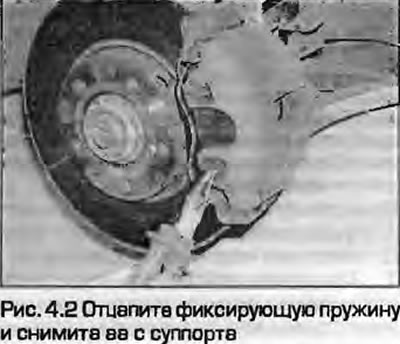
2. Carefully remove the spring that holds the pads (Fig. 4.2).


3. Remove the plugs from the guide bushings to gain access to the guide pin mounting bolts (Fig. 4.3).
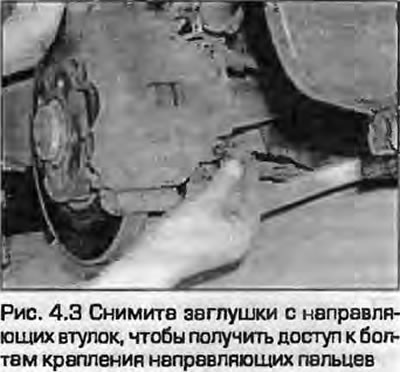
3. Remove the plugs from the guide bushings to gain access to the guide pin mounting bolts (Fig.…


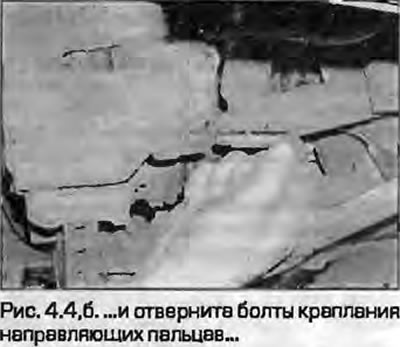
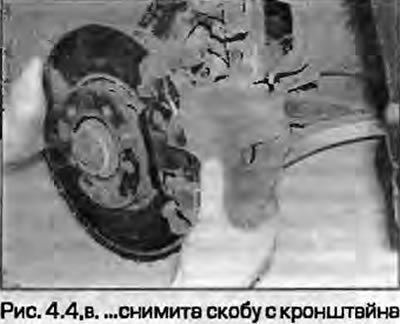
4. Unscrew the upper and lower mounting bolts of the guide struts, remove the bracket from the pads and tie it to the suspension strut with a piece of wire so as not to load the brake hose (fig. 4.4, a-c).
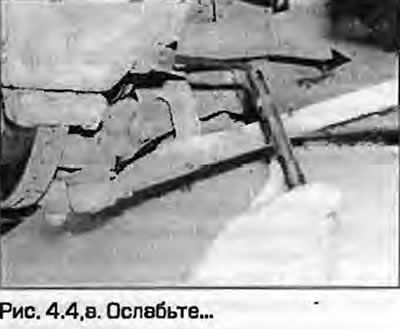


4. Unscrew the upper and lower mounting bolts of the guide struts, remove the bracket from the pads…

4. Unscrew the upper and lower mounting bolts of the guide struts, remove the bracket from the pads…


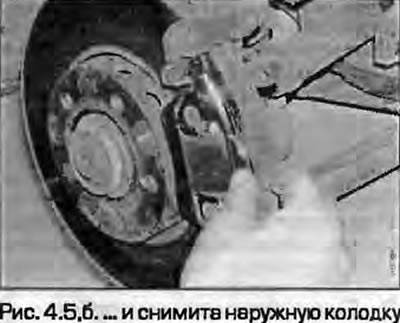
5. Unclip the inner pad from the caliper piston and remove the outer pad (fig. 4.5, a, b).
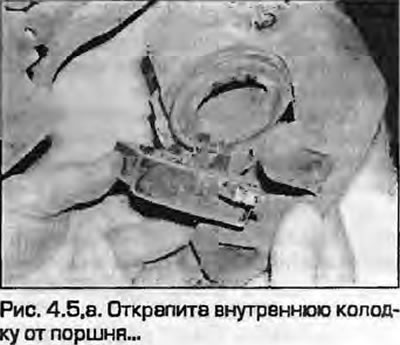
5. Unclip the inner pad from the caliper piston and remove the outer pad (fig. 4.5, a, b).


Lucas Calipers


6. Loosen the upper and lower guide pin mounting bolts, holding them with an open-end wrench (Fig. 4.6). New bolts will be required for installation.
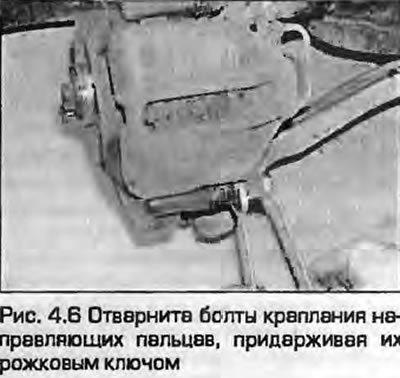
6. Loosen the upper and lower guide pin mounting bolts, holding them with an open-end wrench (Fig.…


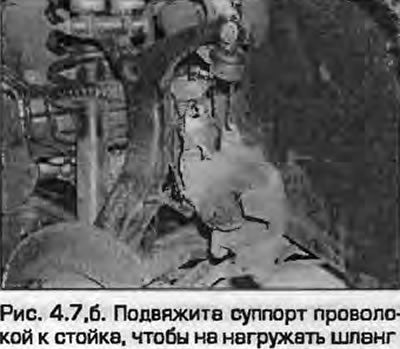
7. Remove the caliper from the mounting bracket. Tie the caliper to the stand with wire so as not to put stress on the brake hose (fig. 4.7, a, b).
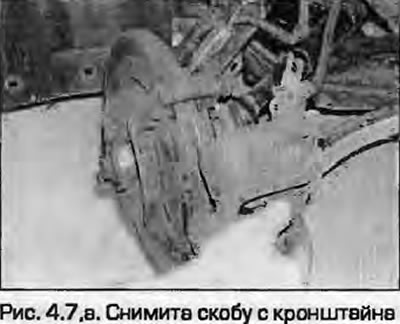
7. Remove the caliper from the mounting bracket. Tie the caliper to the stand with wire so as not…

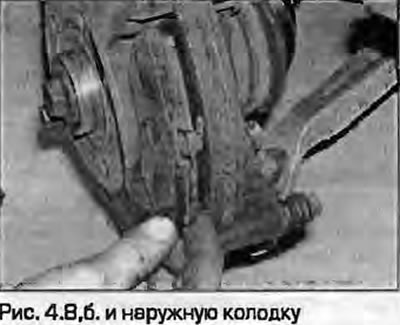
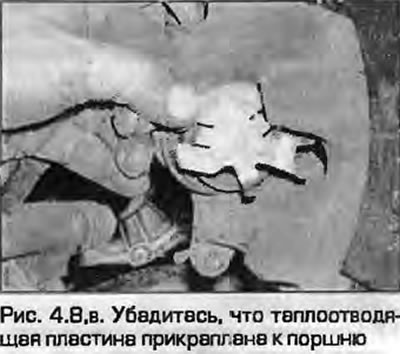
8. Remove the pads. Make sure that the heat-dissipating plate remains secured to the end of the piston (fig. 4.8, a-c).
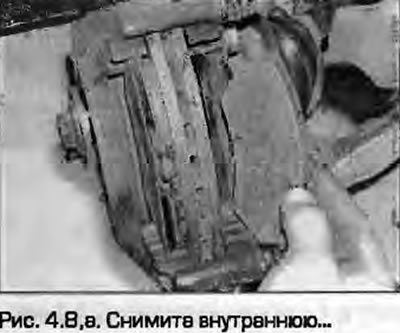


8. Remove the pads. Make sure that the heat-dissipating plate remains secured to the end of the…

8. Remove the pads. Make sure that the heat-dissipating plate remains secured to the end of the…


All models


9. First measure the thickness of the friction material (Fig. 4.9). If any pad is damaged or has unacceptable wear (see Specification), replace the entire set of pads to avoid upsetting the brake balance. The pads should also be replaced if any of them are oily - there is no satisfactory way to remove oil from the friction material without changing its structure. If any of the pads are oily, find the cause and eliminate it before installing a new set of pads.
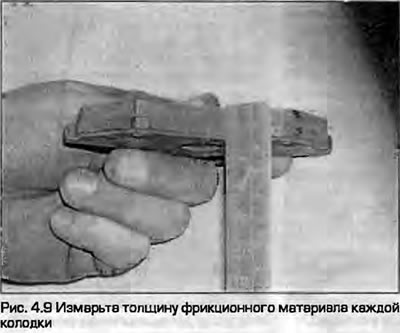


9. First measure the thickness of the friction material (Fig. 4.9). If any pad is damaged or has…


10. If the pads look good, carefully clean them from dirt with a soft wire brush, paying special attention to the back and sides. Clean the grooves in the friction material, remove foreign inclusions. Clean the seats in the caliper and bracket.

ATE/Teves calipers


11. The guide pins should slide easily on the caliper bushings. Make sure the rubber boots on the guides are not damaged. Brush off any dust from the caliper and piston, but do not inhale it, as it is hazardous to your health. The dust boots around the pistons should be secure, and the pistons should be free of corrosion, leaks, or other damage. If any of these components require attention - see paragraph 8.

12. If you are installing new pads, the piston must be pressed into the caliper flush with its surface. To do this, you can use a clamp or use wooden blocks as levers. Clamp the brake hose, and when the cylinder is compressed, open the bleed nipple, attaching a hose dipped in a can to it so that the old fluid does not return to the system (Fig. 4.12).
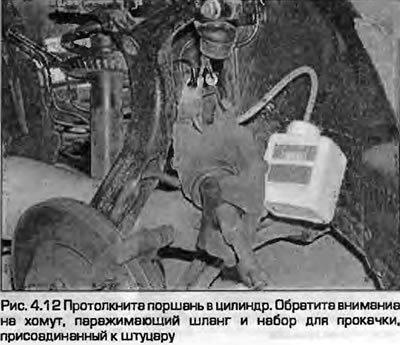
12. If you are installing new pads, the piston must be pressed into the caliper flush with its…


Note: The ABS system is sensitive to the cleanliness of the brake fluid - the slightest dirt can block its operation. Use the above method to bleed the brakes - and the fluid will be renewed more often.


13. Secure the inner pad to the piston and install the outer pad with the friction material facing the disc. The outer pad has an arrow stamped on the outer edge indicating the normal direction of rotation of the brake disc. When installing new pads, remove the transport foil (if any) and remove any traces of adhesive.

14. Install the bracket in place and insert the guide mounting bolts, tightening them to the specified torque (Fig. 4.14).
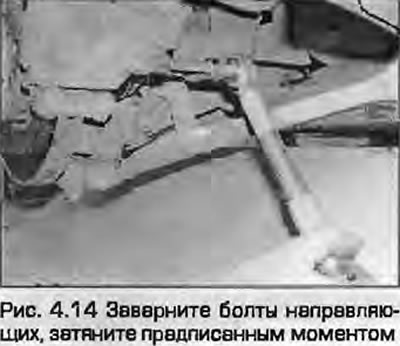
14. Install the bracket in place and insert the guide mounting bolts, tightening them to the…


15. Install the plugs on the guide bushings and attach the wear sensor wiring to the lower cap.

16. Install the brake shoe retaining spring. Press the inner edge of the spring so that its ends are securely fixed to the surface of the shoes.

Lucas Calipers


17. The guide pins should slide easily along the caliper bushings.

18. Make sure the rubber guide boots are not damaged. Wipe the dust off the caliper and piston with a brush, but do not inhale it - it is dangerous to health. The dust boots around the pistons should be intact, the pistons - without corrosion, leaks and other damage. If any of these components require attention. - see paragraph 8.

19. If you are installing new pads, the piston must be pressed into the caliper flush with its surface. Read point 12.


20. Secure the inner pad to the piston and install the outer pad with the friction material facing the disc. When installing new pads, remove the transport foil (if any) and remove any traces of adhesive.

21. Install the bracket in place so that the brake shoe springs (in the form of butterflies) rested on the inner surface of the bracket, without being pinched or protruding into the control hole of the bracket.

Note: New guide pin mounting bolts are required for installation.


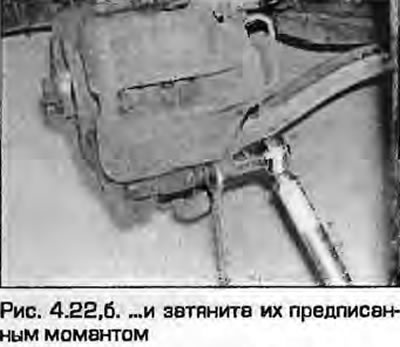
22. Insert the guide mounting bolts, tightening them to the specified torque (fig. 4.22, a, b).
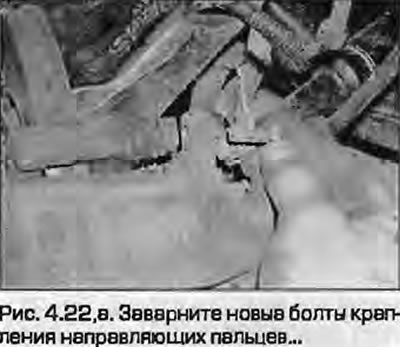
22. Insert the guide mounting bolts, tightening them to the specified torque (fig. 4.22, a, b).

All models


23. Press the brake pedal several times so that the pads are pressed against the brake disc - they are in the working position, and you feel the normal "rigidity" of the pedal (when the amplifier is not working).


24. Perform the above procedure on the other side of the caliper.

25. Install the wheels, lower the vehicle, tighten the wheel mounting bolts to the specified torque - see chapters 1A or 1B.

26. Check the brake fluid level as described in Weekly checks.

Warning: New brake pads need to be "broken in" to achieve full braking efficiency. Therefore, avoid hard braking for the first few hundred kilometers after replacing the pads.
The article was checked by auto expert Timur Bazhenov
This article is available at russian, bulgarian, belarusian, ukrainian, serbian, croatian, romanian, polish, slovak, hungarian

Share information:
Previous articles
Audi A4 B5: Brake system
Next articles

Hydraulic tubes and hoses — replacement
Hydraulic system — bleeding
General information about the brake system
Brake system specifications
Rear brake pads — replacement
Front brake disc — inspection, removal and installation
Rear brake disc — inspection, removal and installation
Front Brake Caliper — Removal, Repair and Installation


Similar articles on other Audi car models:
Front brake pads — inspection, removal and installation Audi 80 B3 (1986-1991, petrol)
Front Brake Disc Pads — Checking and Replacing Audi 100 C3 (1982-1990, diesel)
Replacing the front brake pads Audi A3 Type 8L (1996-2003)
Replacing the front brake pads Audi A6 C5 (1997-2004)
Checking the front brake pads Audi A8 D2 (1994-2002)
Front brake pads FBC-60. Removal Audi Q5 Type 8R (2008-2017)
Brake mechanism with floating caliper, front brake disc Audi A2 (1999-2005)
Link to this page in different formats


Visitor comments

No comments yet


How much will 26 + 47 =


A4(B8, 2007-2015) 
  • General information
  • Operating instructions
  • Power unit
  • Petrol engines 1.8 l
  • Petrol engines 1.8/2.0 l
  • Petrol engines 3.0 l
  • Petrol engines 3.2 l
  • Fuel system (petrol)
  • Diesel engines 2.0 l (CA*)
  • Diesel engines 2.0 l (CJCB)
  • Diesel engines 2.7/3.0 l
  • Diesel engines 3.0 l
  • Fuel system (diesel)
  • Transmission
  • Manual gearbox 0B1
  • Manual gearbox 0B2
  • Manual gearbox 0B3
  • Manual gearbox 0B4
  • Automatic transmission 0B5
  • Automatic transmission 0B6
  • Automatic transmission 0AW
  • All-wheel drive system
  • Chassis
  • Front suspension
  • Rear suspension
  • Brake system
  • Steering system
  • Body
  • Exterior
  • Interior
  • Seats
  • Doors, locks and windows
  • Security system
  • Heating and air conditioning
  • Electrical equipment
  • Audio system
  • Power devices
  • Equipment and devices
  • Lighting and lamps
  • Electrical circuits
 
A4(B7, 2004-2008) 
  • General information
  • Introduction to manual
  • Troubleshooting
  • Operating instructions
  • Maintenance
  • Power unit
  • Petrol engines 2.0 (ALT)
  • Petrol engines 2.0 (TFSI)
  • Petrol engines 1.8 (MPI)
  • Diesel engines
  • Cooling system
  • Air conditioner
  • Fuel and exhaust system
  • Ignition system
  • Starting and charging
  • Transmission
  • Clutch
  • Manual gearbox
  • Automatic gearbox
  • Drive shafts
  • Chassis
  • Brake system
  • Front suspension
  • Rear suspension
  • Steering
  • Body
  • Exterior
  • Interior
  • Electrical equipment
  • Equipment and devices
  • Lighting and signaling
  • Windscreen wipers and washers
  • Electrical diagrams
  • Electrical diagrams (since 2007)
 
A4(B6, 2000-2006) 
  • General information
  • Vehicle Description
  • User manual
  • Maintenance
  • Power unit
  • Gasoline engine
  • Diesel engine
  • Lubrication system
  • Cooling system
  • Supply system
  • Injection system
  • Exhaust system
  • Ignition and control
  • Transmission
  • Gear box
  • Clutch and drive shafts
  • Chassis
  • Brake system
  • Car suspension
  • Steering
  • Body
  • Heating and ventilation
  • Exterior (external elements)
  • Interior (internal elements)
  • Electrical equipment
  • Power devices
  • Lighting and appliances
  • Electrical circuits
 
A4(B6, 2000-2006, petrol) 
  • General information
  • Introduction to the guide
  • Car care
  • Power unit
  • Engine repair
  • Lubrication system
  • Cooling system
  • Injection and control system
  • Ignition system
  • Power and exhaust system
  • Transmission
  • Clutch and drive shafts
  • Car gearbox
  • Chassis
  • Suspension and wheels
  • Steering
  • Brake system
  • Body
  • Interior
  • Exterior
  • Electrical equipment
  • Equipment and devices
  • Lighting and signaling
  • Power devices
  • Electrical circuits
 
A4(B5, 1994-2001) 
  • General information
  • Introduction to the guide
  • Car care
  • Maintenance (gasoline)
  • Maintenance (diesel)
  • Power unit
  • Gasoline engines
  • Diesel engines
  • Engine overhaul
  • Cooling system
  • Fuel injection (gasoline)
  • Fuel system (diesel)
  • Exhaust system
  • Ignition system
  • Transmission
  • Clutch
  • Mechanical gearbox
  • Automatic gearbox
  • Drive shafts
  • Chassis
  • Brake system
  • Car suspension
  • Steering
  • Body
  • Exterior
  • Interior
  • Doors, locks and windows
  • Heating and ventilation
  • Electrical equipment
  • Power devices
  • Equipment and devices
  • Electrical circuits
 
A4(B5, 1994-2001, petrol) 
  • General information
  • Vehicle description
  • Maintenance
  • Power unit
  • Engine repair
  • Turbocharging
  • Exhaust system
  • Cooling system
  • Ignition system
  • Fuel system
  • Motronic injection system
  • MPI and MPFI injection system
  • Transmission
  • Clutch
  • Gearbox and shafts
  • Chassis
  • Steering
  • Car suspension
  • Brake system
  • Wheels and tires
  • Body
  • Heating and ventilation
  • Body parts
  • Electrical equipment
  • Fuses and relays
  • Power devices
  • Lighting and lamps
  • Tools and devices
  • Electrical circuits
 
AudiManual.ru © 2017-2026 · Mobile version · Feedback · Sitemap: EN BG BY UA RS HR RO PL SK HU · Site search · News and articles
80 B2 · 80 B3 petrol · 80 B3 · 80 B4 · 100 C3 diesel · 100 C3 petrol · 100 C3 · 100 C4 petrol · 100 C4 · A3 Type 8L · A4 B5 petrol · A4 B5 · A4 B6 petrol · A4 B6 · A4 B7 · A4 B8 · A6 C4 · A6 C5 · A6 C5 Allroad · A8 D2 · Q5 Type 8R · Q7 Typ 4L · Audi A2 ·
This site uses cookies 🍪. Click the button to accept this fact.