



Table of contents: Operating instructions for… ↓ Control lever positions ↓ Control lever lock ↓ Automatic control lever lock ↓ Kick-down device ↓ Dynamic Regulation Program (DRP) ↓ Tiptronic mode of cars with… ↓ Emergency program ↓ Tiptronic steering wheel ↓
The vehicle is equipped with a continuously variable transmission with electronic control (V-belt variator Multitronic®). Unlike a conventional automatic transmission, the gear ratio is changed continuously rather than stepwise. This helps, among other things, to optimize the comfort of traction and ensures optimal fuel consumption.
Selecting the appropriate transmission ratio (switching to higher and lower ranges of motion) is carried out fully automatically, according to the movement programs stored in the memory of the "Dynamic control program".
The gearbox is also equipped with a tiptronic system. This system will give the driver, if desired, the ability to manually switch ranges.
Please note that in your car with a multitronic transmission, the connection between the engine and the drive wheels, unlike a conventional automatic transmission, is carried out via a multi-plate clutch, and not via a torque converter. As a result, the car is slightly less susceptible to spontaneous movement during short stops with the engine idling and the control lever set to the "D" or "R" position. You should remember this especially on slopes/ascents if you have previously driven a car with a conventional automatic transmission with a torque converter and are not yet familiar with this feature of the variator.
Operating instructions for Multitronic®
The gear ratio changes continuously.
Moving off
- Press and hold the brake pedal.
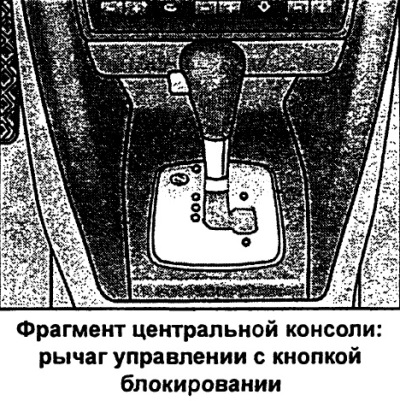
- While holding down the lock button (on the control lever), set the control lever to position D and release the lock button.
- Wait until the automatic system switches on, creating a power connection between the gearbox and the drive wheels (at the moment of switching on, a slight jolt is felt).
- Release the brake pedal and press the accelerator pedal.
Short stops
- Stop the car with the brake pedal.
- Press and hold the brake pedal (for example, at traffic lights) in such a way as to prevent the car from moving forward or backward on its own when idling.
- Do not press the accelerator pedal.
- To start off on an incline, to avoid the car moving on its own, apply the handbrake.
Parking
- Press and hold the brake pedal.
- Apply the parking brake fully.
- While holding down the lock button, set the control lever to the "P" position and release the lock button.
The engine can only be started when the control lever is in position "P" or "N".
When parking on a level surface, it is sufficient to set the control lever to the "P" position. If the road is significantly sloping, first fully tighten the parking brake and only then move the control lever to the "P" position. This reduces the load on the locking mechanism and makes it easier to move the control lever from the "P" position.
Attention. Remember that during short stops with the control lever in the "D" or "R" position, the kinematic reduction of the engine with the wheels does not completely disappear. Therefore, when stopping, hold the car with the brake pedal, and when starting off, use the parking brake as an aid to prevent spontaneous movement of the car - risk of accident!
Control lever positions
This section provides a description of all control lever positions.
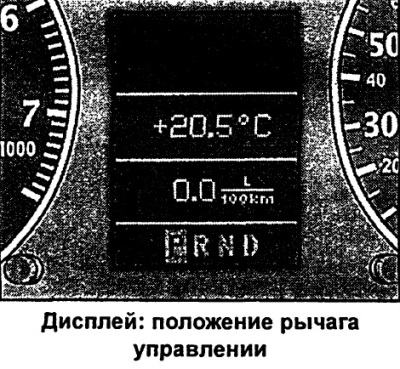
The dedicated indication of the actual position of the control lever is displayed on the instrument cluster displays.
P - Parking lock
In this position, the drive wheels are locked mechanically. The parking lock may only be engaged when the vehicle is stationary.
To set the control lever to the "P" position and to move it from this position, press the locking button (on the control lever) and the brake pedal at the same time.
R — reverse gear
When reverse gear is engaged, the transmission automatically selects the lowest gear ratio.
Reverse gear may only be engaged when the vehicle is stationary and the engine is idling.
To set the control lever to the "R" position, press the lock button and the brake pedal at the same time. When the ignition is on and the control lever is in the "R" position, the reversing lights are on.
N — neutral position (idle position)
This position is the idle position.
D - the basic position for moving forward
In this position, the transmission automatically selects the optimum gear ratio. The gear ratio depends on the engine load, speed and the dynamic control program (DRP).
To move the control lever from position "N" to position "D" at a speed of less than 5 km/h or when the vehicle is stationary, you must press the brake pedal.
To enable manual adjustment of the gear ratio to driving conditions, under certain circumstances, (for example, when driving in the mountains or with a trailer) it may be preferable to temporarily switch to tiptronic mode.
Control lever lock
The control lever lock prevents the inadvertent engagement of the driving range and thus the spontaneous movement of the vehicle from a standstill.
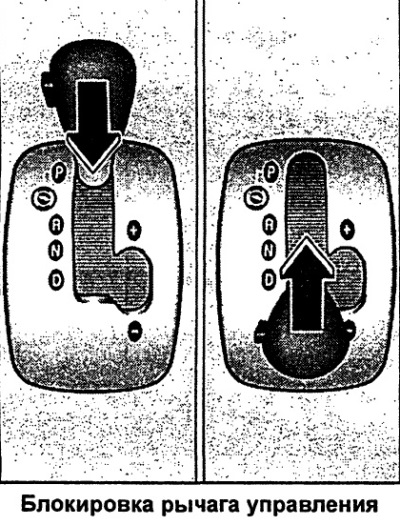
The blocking can be removed as follows:
- Turn on the ignition.
- Press the brake pedal and simultaneously hold down the lock button.
Automatic control lever lock
When the ignition is on, the control lever is locked in the "P" and "N" positions. To move it from these positions, press the brake pedal. As a reminder to the driver, when the control lever is in the "P" and "N" positions, the following indication appears on the instrument cluster display:
Beim Einlegen elner "Fahrstufe im Stand Fussbremso betatigen" (when selecting the stationary vehicle driving mode, press the brake pedal).
In addition, the automatic control lever lock symbol lights up on the control lever linkage.
At speeds of approximately 5 km/h and above, the control lever lock in the "N" position is automatically released.
When the control lever is quickly (without pauses) moved through the "N" position (for example, from the "R" position to the "D" position), the control lever is not locked. This will allow, for example, the "rocking" movement of a stuck car. If the control lever is in the "N" position for more than 1 second with the brake pedal released, it is locked.
Lock button
The control lever lock button prevents the control lever from being moved to certain positions unintentionally. When this button is pressed, the control lever is unlocked.
Locking the key in the ignition switch
After turning off the ignition, the key can be removed from the lock only when the control lever is in the "P" position (parking lock). After removing the key from the lock, the lever is locked in the "P" position.
Kick-down device
The Kick-down device allows for maximum acceleration.
When the accelerator pedal is pressed sharply and the resistance point is crossed, the automatic system switches to a lower range depending on the speed and revolutions. Switching to the next higher range occurs immediately upon reaching the maximum engine shaft rotation frequency corresponding to the given range.
Dynamic Regulation Program (DRP)
The Multi-tronic® transmission is controlled electronically.
The transmission is controlled electronically. Switching to higher and lower ranges is carried out according to the driving programs stored in the memory.
With a restrained driving style, the automatic system selects an economical shift program.
With a spirited driving style with sharp acceleration and frequent speed changes, using maximum speed or after sharply pressing the accelerator pedal (Kick-down), the transmission switches to a sportier program range.
Selecting the optimal driving program for specific conditions is a continuous process. However, regardless of this, it is possible to switch to a more sporty program by pressing the accelerator pedal sharply. This engages a lower gear ratio of the transmission, corresponding to the actual speed of movement, providing the possibility of dynamic acceleration (for example, when overtaking) without the need to press the accelerator pedal sharply to the stop. When subsequently switching to a higher range and the corresponding driving mode, operation according to the original program is restored.
When driving on mountain roads, the gear ratio is continuously adjusted to the incline characteristic. When driving downhill, pressing the brake pedal automatically switches the transmission to a lower range. As a result, the engine braking efficiency is increased.
If the cruise control system is switched on when driving on mountain roads, the transmission automatically selects a lower gear ratio to maintain the set speed. However, this leads to an increase in the engine speed.
Tiptronic mode of cars with Multitronic®
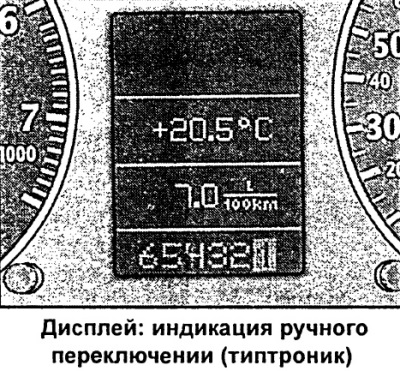
The manual shift program (tiptronic) gives the driver the ability to manually engage six programmed gear ratios (ranges of motion).
Switching to manual mode
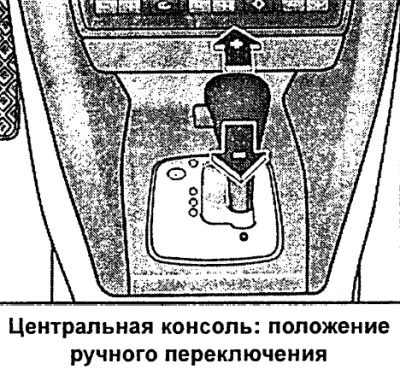
- Press the control lever from position "D" to the right. When the manual mode is on, the display shows "6 5 4 3 2 1" with the currently enabled range of motion highlighted.
Switching to higher ranges
- When moving the control lever forward (in tiptronic position) switching to higher ranges (+) occurs.
Switching to lower ranges
- When moving the control lever back (in tiptronic position) switching to lower ranges (-) occurs.
The manual shift program allows manual engagement of six programmed gear ratios (ranges of motion). You can switch to manual mode both while parked and while driving from position "D".
When accelerating in ranges 1, 2, 3, 4 and 5, the transmission will automatically shift to the next higher range shortly before reaching maximum engine speed.
When switching from a high range to a low range, the automatic system will switch only after it becomes impossible to increase the engine speed in a variable manner.
When the speed of movement drops (for example, when braking) and at minimum engine speed, the transmission will automatically switch to the next lower range.
Shifting down to lower ranges when driving downhill improves engine braking efficiency.
When the Kick-down device is operating, the transmission shifts to the next lower range depending on the speed and engine speed.
Emergency program
In case of a system failure, the automation switches to the emergency program
If the system malfunctions, the automatic system switches to the emergency program. This is indicated by the lighting of all segments on the indicator panel at once.
Reverse indication
When the indicator lights up in negative font (reverse font) you can continue driving. However, contact an Audi dealer as soon as possible to have the multitronic ® system checked.
Flashing indication
A flashing indicator indicates a serious system malfunction. In this case, drive carefully to the nearest Audi dealership to have the malfunction repaired.
Tiptronic steering wheel
Car with Multitronic® and Tiptronic steering wheel
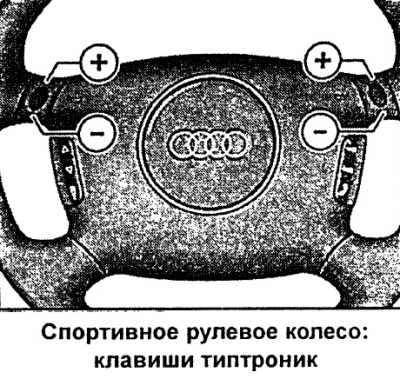
Gear ratios (ranges of motion) can be switched using the steering wheel buttons.
Switching to higher ranges
- Press the top side of one of the keys (+).
Switching to lower ranges
- Press the bottom side of one of the keys (-).
The range shift buttons on the steering wheel are in working mode when the control lever is in position "D" or manual shift program (tiptronic).
of course, manual range switching is also possible using the control lever on the centre console.
[The original article is located on the online resource: Audimanual.ru]