



Table of contents: Reset button ↓ Radio indication ↓ Outdoor temperature indication ↓ Door and trunk open warning ↓ Malfunction monitoring system ↓
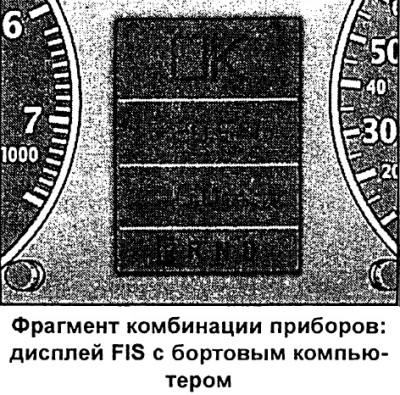
If after turning on the ignition the controlled functions are in order, then the OK indicator appears for a few seconds.
Controlled functions displayed on the instrument cluster:
- Radio indication
- Outdoor temperature indication
- Door/trunk open warning
- Malfunction monitoring system
- Driver's instructions
- Speed alarm
- 5-speed automatic transmission control lever positions
- Positions of the "multitronic" control lever
- Indication of maintenance intervals
- Menu indication
- Telephone and telematics
- Navigation system data
Reset button
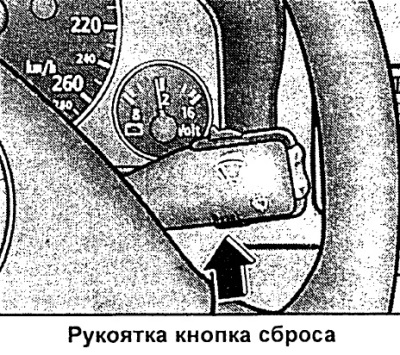
The button for selecting and displaying various parameters is mounted in the windshield wiper control handle.
By successively pressing the "Reset" button briefly, the following indication is selected:
- outside temperature/on-board computer/vehicle malfunction monitoring system
- navigation/telematics
- display off
Note: The malfunction monitoring system fault indication also appears when the display is off.
Radio indication
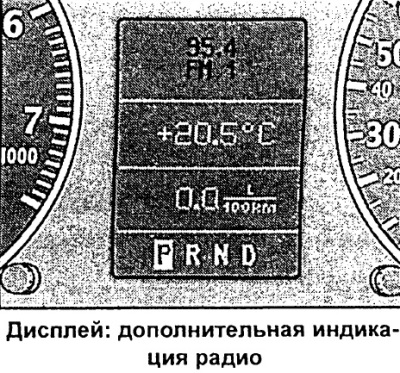
If, after checking by the fault monitoring system, there is no indication of faults of the 2nd priority level and the radio is switched on, after the "OK" indication goes out, the name of the radio station or radio frequency with additional information appears on the display.
This indication is additional information for the radio display.
Outdoor temperature indication
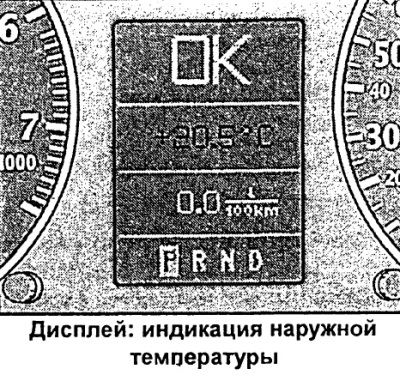
The outside temperature indication is displayed on the screen when the ignition is on. On cars with automatic transmission, the indication appears only after the driving mode is engaged.
At temperatures between +5°C and -5°C, a snowflake appears to the left of the temperature display. The appearance of the snowflake symbol warns the driver of the need for special care due to the danger of ice.
When the vehicle is stationary or driving at very low speeds, the indication may be slightly higher than the actual temperature due to the heat radiated by the engine.
On vehicles with air conditioning, when the display switches to Fahrenheit (°F) readings, the outside temperature display automatically changes accordingly.
Attention. Never rely on the outside temperature indication to determine the probability of ice on the road. Remember that ice can form even at an outside temperature of +5°C!
Door and trunk open warning
The symbol draws your attention to open doors or trunk before starting to move.
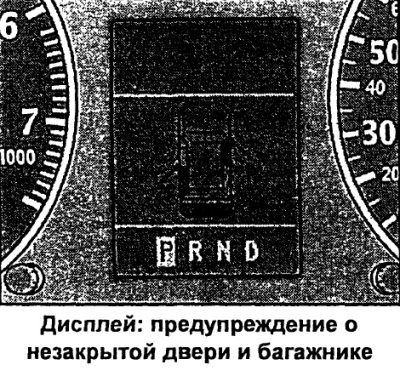
The pictogram is displayed if at least one door, the hood or the trunk is not closed when the ignition is on. The pictogram also indicates which door or doors are not closed. The illustration shows the front passenger door, the rear left door and the trunk as an example.
The trunk shown on the display icon flashes if it is not closed.
Once all doors and the trunk are completely closed, this warning goes out and the corresponding functions of the driver information system will be displayed.
Note: On vehicles with the "standard" driver information system, regardless of whether the door is open, the pictogram always shows the driver's door open.
Malfunction monitoring system
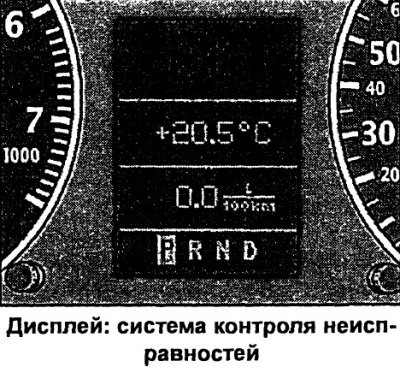
When the ignition is on and while driving, the automatic fault monitoring system continuously monitors certain functions and the technical condition of the vehicle systems.
The system notifies of any malfunctions or the need for urgent repair and maintenance work with an audible signal, accompanied by red and yellow light symbols on the instrument cluster display, depending on the level of priority.
Red symbols signal danger, and yellow ones are warning symbols. In addition, in certain situations, driver instructions appear in addition to the red symbols.
Driver's instructions
In addition to the indicator lights and symbols, the instrument cluster display also provides driver instructions.
Before switching on the driving mode of vehicles with automatic transmission, the corresponding indication of the driver's instructions is displayed on the display.
In addition, when any first-priority symbol flashes on the display, the driver can display the corresponding instructions.
Displaying instructions to the driver
For example, the display shows the symbol for a malfunction of the engine oil pressure function. If you now press the control button, the following instruction will appear on the display:
MOTOR ABSTELLEN OLSTAND PRUFEN (turn off the engine, check the oil level).
This display indication goes out after approximately 5 seconds. By briefly pressing the control button, the instruction can be displayed again.
Note: Instructions "BEIM EINLEGEN EINER FAHRSTUFE IM STAND FUSS-BREMSE BETATIGEN" (when selecting the stationary vehicle driving mode, press the brake pedal) it is impossible to display it again. This instruction goes out after the driving mode is switched on.
Function control: manual transmission
When the ignition is switched on, the fault monitoring system automatically checks the functions. If the functions checked by the fault monitoring system are OK, the "OK" indicator lights up for a few seconds.
The presence of faults is indicated by the corresponding indication instead of the "OK" indication. At the same time, a warning signal sounds.
If there is no "OK" indication, or if there is a malfunction, the vehicle's fault monitoring system itself must be checked.
Function control: automatic transmission
When the ignition is switched on, the fault monitoring system automatically checks the function. When the control lever is in the "P" or "N" position, the display shows the following instruction: "BEIM EINLEGEN EINER FAHRSTUFE IM STAND FUSSBREMSE BETATIGEN" (when selecting the stationary vehicle driving mode, press the brake pedal).
If you now switch on the driving mode ("R", "D", etc.), the instruction goes out and automatic control of the functions is carried out. If the controlled functions are in order, then the "OK" indicator is displayed for a few seconds.
If there are any faults, approximately 15 seconds after starting the engine, the above instruction to the driver is replaced by the indication of the corresponding fault symbol. At the same time, a warning signal sounds.
If there is no "OK" indication, or if there is a malfunction, the vehicle's fault monitoring system itself must be checked.