



Table of contents: Red symbols ↓ Yellow symbols (fIS vehicles,… ↓ Yellow symbols (cars with FIS, with… ↓ Warning Level 1: Function ↓ Warning Level 2: Function ↓ Programming the maximum speed ↓
Red symbols
The red symbol signals danger.
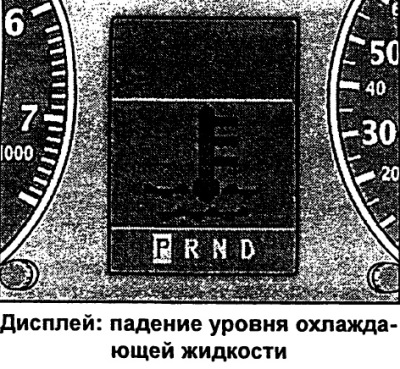
When the symbol appears:
- Stop.
- Turn off the engine.
- Check the faulty function. If necessary, seek qualified assistance.
The meaning of the red symbols:
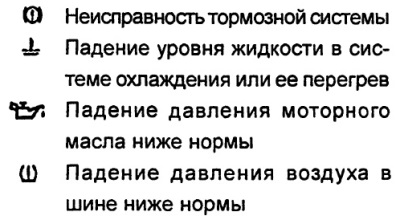
Red symbols indicate a malfunction of the first priority level (danger).
When the red symbol appears, three consecutive warning beeps will sound.
The symbol continues to flash until the fault is corrected.
If several first-priority malfunctions occur at once, the symbols appear sequentially, with each display lasting 2 seconds.
Brake system failure
Correct the brake system fault as soon as possible.
Flashing symbol 0 on the display indicates a malfunction in the brake system.
- Stop.
- Check the brake fluid level.
If the ABS fails, the indicator lamp lights up together with the brake system malfunction symbol 0.
Attention
- A drop in the brake fluid level in the filler tank means a risk of accident! Further driving is not permitted. Seek qualified assistance.
- The reason for the brake system warning light coming on together with the ABS warning light may be a failure of the ABS control function. As a result, relatively rapid locking of the rear wheels may occur when braking. Under certain circumstances, this may lead to skidding of the rear axle of the vehicle - risk of skidding! Drive carefully to the nearest specialist facility and have the fault rectified.
Cooling system malfunction
Eliminate the cooling system malfunction immediately.
The reason for the symbol flashing while driving may be overheating or a drop in the coolant level.
- Stop.
- Turn off the engine.
- Check the coolant level.
- Add coolant if necessary.
- Continue moving only after the symbol goes out.
- If necessary, seek qualified assistance.
If the coolant level is normal, then the cause of overheating may be a failure of the cooling system fan.
If the battery discharge indicator light also lights up, the cause may be a broken poly V-belt.
Warning. Never open the hood if you see or hear steam or coolant coming out of the engine compartment - risk of burns! Wait until the steam or coolant stops coming out.
Caution: Do not continue driving if the symbol indicates a fault in the cooling system - risk of engine damage.
Malfunction in the engine oil pressure system
Immediately correct the malfunction in the engine oil pressure system.
Flashing of the symbol on the display indicates that the oil pressure has dropped below normal.
- Stop.
- Turn off the engine.
- Check the engine oil level.
- If necessary, seek qualified assistance
Engine oil level drops below normal
Top up engine oil if its level drops below normal.
Normal engine oil level
Do not continue driving if the symbol is flashing when the oil level is normal. Also, do not allow the engine to idle - seek qualified assistance.
Note: The oil pressure indicator lamp is not an indicator of the oil level in the lubrication system. Therefore, check the oil level regularly, preferably when refuelling.
Tire pressure drop
If the air pressure in the tires is low, bring it back to normal as soon as possible.
The appearance of the symbol indicates a drop in air pressure in the tire of at least one wheel.
- Stop.
- Check pressure/tires.
- Replace the wheel if necessary.
The symbol always appears in combination with additional text information, e.g. REIFENDRUCK HINTEN RECHTS (air pressure in the rear right tire).
The appearance of the symbol in combination with additional information REIFENDRUCKE PRUFEN (check tire pressure) may indicate a drop in air pressure in several tires, including the spare tire.
The display may also show a yellow symbol. This symbol means that the air pressure needs to be checked.
Yellow symbols (fIS vehicles, standard version)
Yellow symbols are warning symbols.
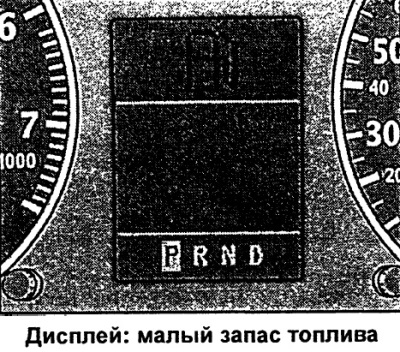
Purpose of yellow symbols:
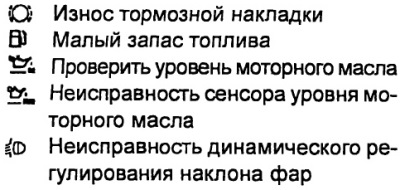
Yellow symbols indicate a malfunction of the second priority level (warning).
When the yellow symbol appears, one warning tone will sound.
Please check the corresponding function as soon as possible.
When several warnings are displayed simultaneously, the symbols appear in sequence, each lasting approximately 2 seconds.
Yellow symbols (cars with FIS, with on-board computer)
Yellow symbols are warning symbols
Purpose of yellow symbols:
Yellow symbols indicate a malfunction of the second priority level (warning).
When the yellow symbol appears, one warning tone will sound.
Please check the corresponding function as soon as possible.
When several warnings are displayed simultaneously, the symbols appear in sequence, each lasting approximately 2 seconds.
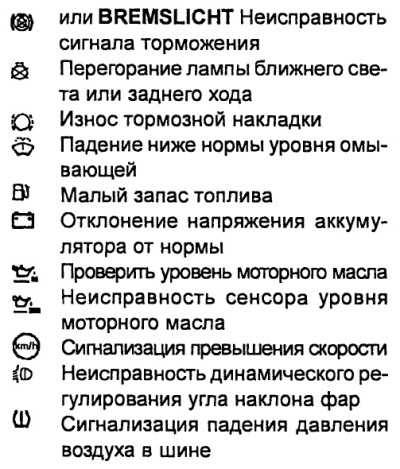
Brake light malfunction
Cars with FIS and on-board computer
If the BREMSLICHT symbol or display lights up, the following must be checked and, if necessary, replaced or repaired at an Audi facility:
- brake light bulbs,
- connections in electrical wiring,
- brake light switch.
Replacement/repair must be carried out at the Audi facility.
Malfunction of low beam, reversing lights
Car with FIS and on-board computer
If the symbol lights up, check the following components:
- low beam incandescent lamps
- reversing light bulbs
- connections in electrical wiring.
Replacement/repair must be carried out at the Audi plant.
Note: This function is controlled by the malfunction monitoring system only when the light is on.
Front brake lining wear
If the symbol appears, contact an Audi dealer to have the front brake pads checked (and for the safety of the rear) wheels.
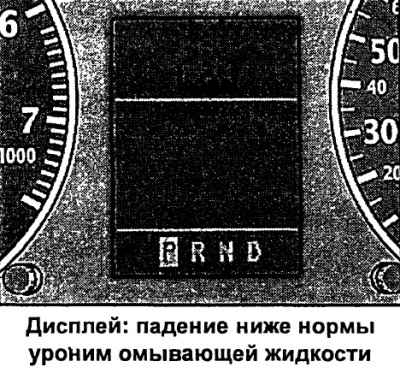
Windscreen washer fluid level drop
Car with FIS with on-board computer
The appearance of the symbol means that it is necessary to add washer fluid to the windshield washer and headlight cleaning device filling tank.
Low fuel supply
If this symbol lights up for the first time, it means that there are about 7-8 liters of fuel left in reserve. It is necessary to refuel the car as soon as possible.
Battery voltage deviation from normal
Car with FIS and on-board computer
If the symbol appears, contact an Audi dealer and have the following components checked:
- v-belt
- voltage regulator
- battery status
Also remember about the low battery indicator light.
The voltage of the on-board network can also be monitored using a voltmeter.
Check the engine oil level
When the symbol appears, check the oil level as soon as possible and top up if necessary.
Engine oil sensor malfunction
If the symbol appears, contact an Audi dealer to have the oil level sensor checked. Before that, for safety reasons, check the oil level every time you fill up the vehicle with fuel.
Speed alarm
Car with FIS and on-board computer
The appearance of the symbol means that the actual speed has exceeded the entered speed value. Reduce speed.
Malfunction of the headlight range adjustment device
Vehicles with dynamic headlight leveling device
When the symbol appears, the dynamic headlight range control is faulty. Contact Audi to have the headlight range control repaired.
Tire pressure drop alarm
Vehicles with tire pressure monitoring system
When the symbol lights up, it means that the air pressure in the tire needs to be checked and adjusted.
The symbol always appears together with the letter designation of the corresponding wheel, for example, VR means front right wheel.
Speed alarm
Car with FIS and on-board computer
The speed alarm allows you to set a speed limit that should not be exceeded.
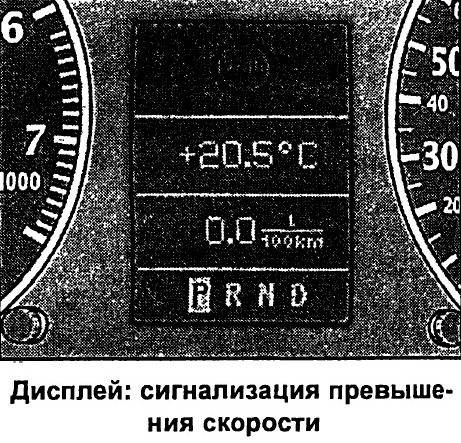
The speed alarm warns the driver that a pre-set speed has been exceeded. As soon as the actual speed exceeds the set value by approximately 10 km/h, a warning signal sounds. At the same time, a warning symbol appears on the display.
The speed alarm allows you to program two warning levels that operate independently of each other and perform slightly different tasks.
Warning Level 1: Function
Car with FIS and on-board computer
The value of warning level 1 can be changed while driving.
Warning level 1 enables the speed limit to be set while driving. The entered speed value is stored in memory until the ignition is switched off, unless the speed has been changed or the entered limit has been cancelled beforehand.
The first warning level signal symbol appears on the display when the actual speed exceeds the entered value. The symbol goes out when the speed decreases below the programmed sign.
The symbol also goes out if the entered speed value is exceeded by approximately 40 km/h for at least 10 seconds. However, the memory data for the entered speed limit is not reset.
Warning Level 1: Programming
Car with FIS and on-board computer
Warning level 1 is programmed via the setting/control button.
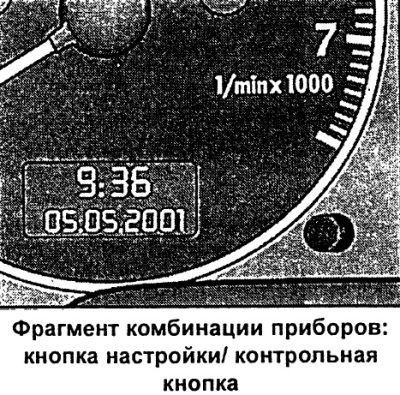
Programming the speed limit
- The vehicle must move at the current speed, which must not be exceeded.
- Press and release the setup/control button.
Cancellation of the imposed speed limit
- The vehicle speed must be more than 5 km/h.
- Press the setup button/control button for more than 1 second.
Successful entry into the memory is confirmed by the signal symbol 0) of the speed limit briefly lighting up on the display when the button is released. The entered speed value remains in the memory until the next short press of the button at a different speed or until you cancel the entered limit by pressing it for more than 1 second.
Warning Level 2: Function
Car with FIS and on-board computer
The value of warning level 2 can only be changed when the ignition is switched off.
Warning level 2 will enable programming and cancellation of the maximum speed limit only when the ignition is switched off. Programming this warning is recommended when a general reminder to the driver to maintain a certain maximum speed is required. For example, when driving in a country with a speed limit, the maximum speed when driving with winter tires.
The warning level 2 signal symbol appears on the display when the actual speed exceeds the entered value. The symbol, unlike warning level 1, only goes out when the speed drops below the programmed value.
Warning Level 2: Programming
Car with FIS and on-board computer
Warning level 2 is programmed and cancelled by switches mounted in the windscreen wiper handle.
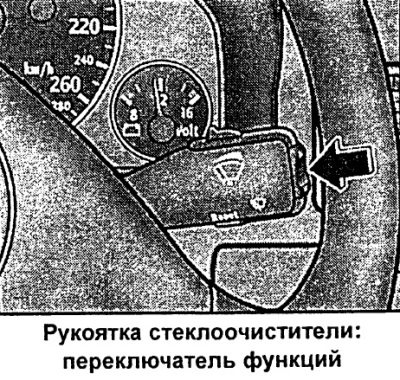
Programming the maximum speed
- Turn off the ignition.
- Press and release the setup/check button in the instrument cluster. The trip meter and digital clock lights up.
- Press the setting/test button for at least 2 s. The display shows the currently entered maximum speed threshold or the crossed-out symbol for warning level 2 if the maximum speed has not been previously programmed.
- To change the speed, press the upper or lower side of the function switch mounted in the windshield wiper handle. This causes a step-by-step (one stage 10 km/h) increase or decrease values.
Cancellation of the imposed speed limit
- Turn off the ignition.
- Press and release the setup/check button in the instrument cluster. The trip meter and digital clock lights up.
- Press the setting/control button for at least 2 seconds. The display shows the current entered maximum speed threshold value.
- Press the reset button located in the windscreen wiper handle B until the crossed-out warning level 2 symbol appears on the display.
A few seconds after the programming or cancellation process, the trip meter and digital clock illumination turns off.
This article was copied from the website AudiManual