



Table of contents: Computer database ↓ Instantaneous fuel consumption ↓ Power reserve ↓ Fuel consumption ↓ Travel time ↓ Average fuel consumption ↓ Average speed of movement ↓
The on-board computer is built into the instrument cluster. The function switch is located on the switch panel.
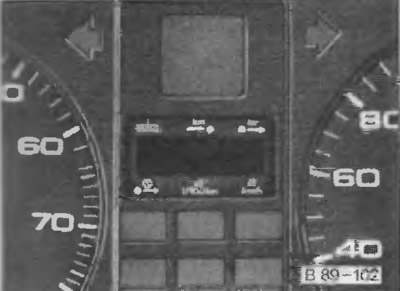
With the ignition on, press the lower edge of the switch again (see the direction of the arrow in the picture on the right) the display shows the data area sequentially. By pressing the upper edge, the sequence of functions will change in the reverse order.
Selected function (data area) indicated by an arrow in the form of a triangle opposite the corresponding symbol located above and below the display screen.
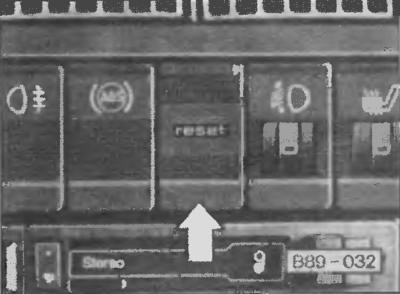
In the center of the Function switch there is a key labeled "reset" - "Data reset".
By pressing this key (no more than 2 seconds) the memory block erases previous information about the amount of fuel consumed, the time of travel, the average fuel consumption and the average speed of travel. A short press of this key also pauses the computer's warning signals about the departure time and fuel reserve.
When the ignition is switched on, the display shows the data area that was requested before it was switched off. When the battery is disconnected, all memory data is automatically erased.
Computer database
The on-board computer provides 6 data areas with information:
- instantaneous fuel consumption
- power reserve
- amount of fuel consumed
- travel time (maximum 23 h 59 min)
- average fuel consumption
- average speed of movement
Instantaneous fuel consumption
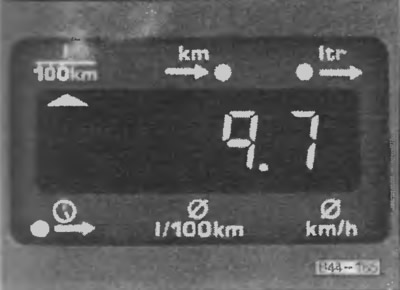
Provides data on fuel consumption at a given moment in time. Calculation in liters per 100 km.
The calculation is performed every 30 meters. When stopped, the display saves the latest information.
When the movement resumes, new indicators are displayed after driving the first 30 meters.
When you press the accelerator pedal of a stationary vehicle, the computer displays the highest possible instantaneous fuel consumption figures.
Power reserve
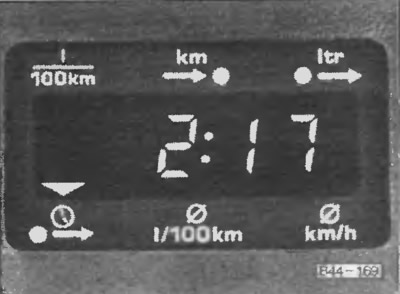
The power reserve is calculated every 10 km of travel. The number of kilometers remaining to be driven in the selected driving mode of the car is indicated.
The calculations are based on fuel consumption data for the last 30 km of the route. If you want to drive in a more economical mode, the power reserve will increase.
Warning signal "Fuel supply is running low"
If there are less than 50 km left until the end of the calculated route, any subsequent selected computer function is automatically interrupted and switches to the range data area. The symbol starts flashing. If there are less than 5 liters of fuel left in the tank, the letter "L" is displayed in place of the range indicator, which means that the fuel tank is empty.
A short press on the upper or lower edge of the function switch or on the "reset" key stops the warning signal.
If the car is not filled with fuel, the signal will resume every time the ignition is turned on.
Fuel consumption
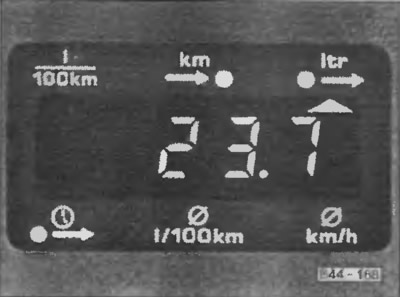
The amount of fuel consumed on the way from the moment the engine was started is indicated. The indicators change every 30 meters of run. The data is reset by pressing the "reset" button.
Travel time
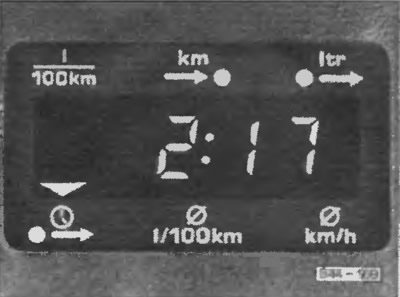
The driving time since the last data cancellation in the memory block is indicated. When the ignition is switched off, the information is not erased. When the driving is resumed, the time counting continues. The maximum value is 23 hours 59 minutes. If it is necessary to count from some other time interval, the previous data is cancelled by pressing the "reset" button.
Warning signal "Time to stop for rest"
Every 2 hours, the next selected computer function automatically switches to the "Travel time" data area. At the same time, the "2:00" indicator starts flashing, warning the driver that 2 hours have passed and it is time to make a short rest stop.
The signal is switched off by pressing the function switch or the data reset key. If the ignition is not switched off or the movement is resumed within 10 minutes, then the same signal will appear on the display every 2 hours, but with the total travel time "4:00, 6:00" etc.
If the rest stop lasts more than 10 minutes and the ignition is turned off, the previous time count is automatically cancelled and will not be added to the subsequent reading.
Average fuel consumption
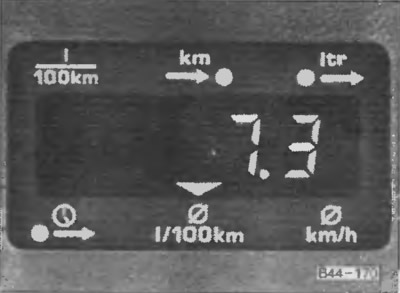
This functional mode of the computer gives the summarized data on average fuel consumption since the last information cancellation. Do not confuse with the instantaneous fuel consumption data.
When the ignition is turned off, the information is not erased. When the movement is resumed, the calculation of average fuel consumption data will continue.
The data is reset by pressing the "reset" button. The indication of new indicators after the extinguishing begins with the first 30 meters of the run.
Average speed of movement
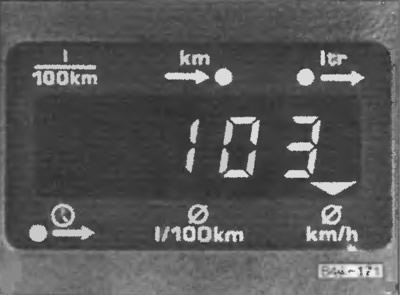
Provides information on the average speed of movement since the last information was turned off. When the ignition is off, the data is not reset. When the movement is resumed, the accumulative count continues. The information is erased by pressing the "reset" button.
[Read the original source on the website AUDImanual]