



2. Pull the sensor plunger out completely before installation (1 in the illustration), insert the protrusions (1 and 2) of the sensor into the slots and remove the storage compartment on the driver's side (see Chapter 11).
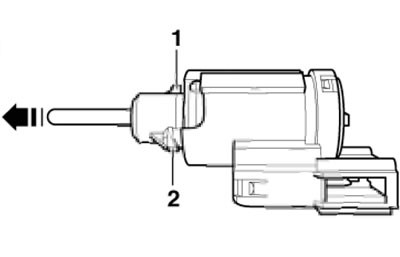
10.2. Rod and protrusions of D/V brake lights
3. Make sure the brake pedal is not pressed and set the brake light D/W by pressing it away from the pedal and turning it 45° clockwise (see illustration). The plunger will take the desired position on its own.
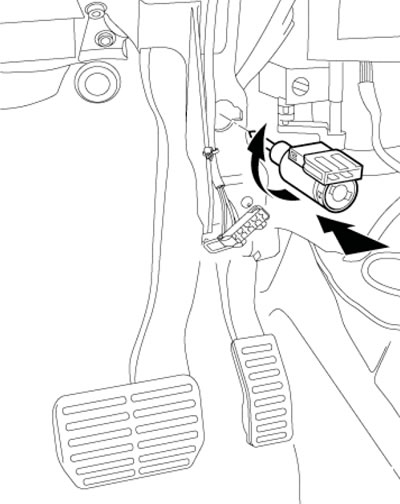
10.3. Installing D/W brake lights
4. After installation, make sure the brake pedal is fully released.