



Table of contents: Turning on the time, date,… ↓ Starting the verification process ↓ Programming the speed limit alarm ↓
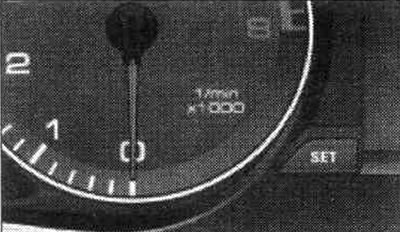
Instrument panel: "SET" button. By pressing this button you can call up various functions.
Turning on the time, date, temperature display and odometer
The indication appears for approximately 30 seconds if you press the SET button with the ignition off.
Starting the verification process
(automatic fault monitoring system)
The automatic malfunction monitoring system monitors the operation of vehicle components and certain functions. When the ignition is on and while driving, the system operates continuously. By pressing the SET button with the ignition on, you can manually start the testing process. Functional checking can be performed at speeds up to 5 km/h. The number of keys programmed for the vehicle is also displayed. The L2 3/3 indicator indicates that three keys are programmed for the vehicle. This feature allows you to ensure that all keys have been transferred to the new owner when purchasing a used vehicle. If, for example, the car only comes with two keys, you should contact an Audi dealer and, presenting the keys you have, block the operation of the missing key.
Programming the speed limit alarm
By briefly pressing the SET button while driving, you can program speed limit 1 for the speed limit alarm. Long pressing of the SET button resets the programmed warning threshold value.
[The original source of the article can be found on the website AudiManual.ru]