



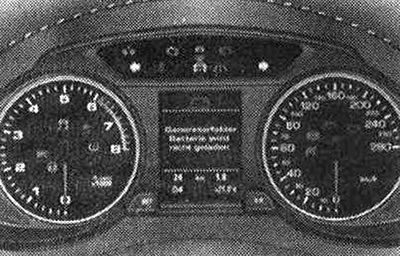
The indicator lights indicate the status of certain functions or faults. Driver instructions may appear simultaneously with some indicator lights. A warning signal sounds at the same time. The displayed instructions go out after a short period of time. To display the instructions again, press the SET button. If several functional faults have occurred, the indicator lights come on in sequence for 2 seconds each. When the ignition is switched on, some indicator lights come on briefly to check the functionality of the corresponding system. In the tables below, these systems are highlighted with the symbol "Y". If one of these indicator lights does not come on, this indicates a fault in the corresponding system.
Driver information system
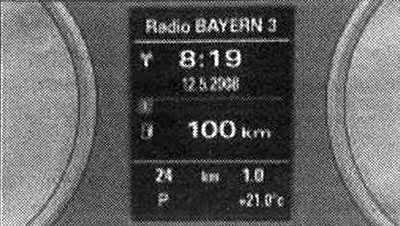
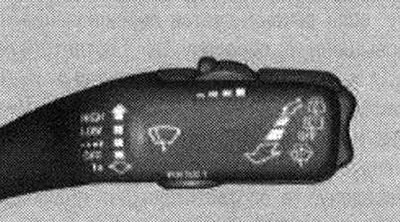
Windscreen wiper control handle: RESET button
The driver information system provides the following information: radio station or CD; time and date; outside temperature: at temperatures below +4°C, a snowflake symbol appears to the left of the temperature display; total and daily mileage; gearshift lever position for automatic transmission; shiftable gears with manual transmission; warning about open door, engine compartment lid or trunk lid; service frequency; control lights and driver instructions; speed alarm system.
By pressing the RESET button, the following functions can be activated: Trip computer, Digital speedometer, Destination route in the navigation system, Tire pressure monitoring system, Cruise control system, "adaptive cruise control".
Warning. Never rely on the outside temperature indication to determine the probability of black ice on the road. Remember that black ice is possible even at an outside temperature of +4°C! Risk of accident due to black ice!
Note: For some vehicle models, the driver information system displays on the instrument cluster differ from those shown here. The units of measurement, for example, for temperature or speed can be changed in the radio or MMI. When the vehicle is stationary or moving at very low speeds, the outside temperature displayed may be slightly higher than the actual temperature due to the heat emitted by the engine.
Applies to cars: with manual transmission and gear shift indicator
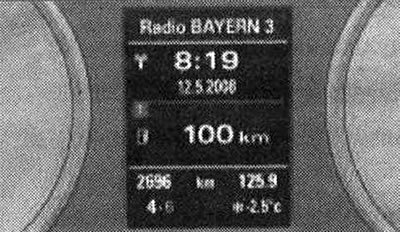
Display: Gear shift indicator
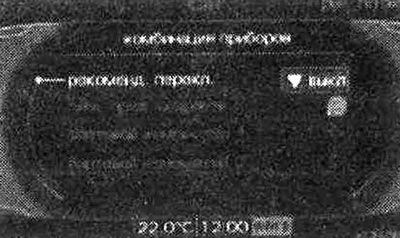
Display: Turn on and off the recommended gear
You can save fuel by relying on the gear shift indicator when driving. The gear shift indicator can be switched on or off in the radio or MMI.
Turning the gear shift indicator on and off
Select: CAR function key → Instrument cluster (dashboard) → Suggested gear (recommended gear). To understand the instructions given in the gear shift indicator, drive off as usual. When the selected gear in the driving mode no longer provides optimum fuel consumption, a recommendation to shift to the desired gear appears. The display shows the selected gear and the recommended gear.
Shifting up: If shifting up is recommended, the corresponding display appears to the right of the display of the engaged gear. Shifting down: If shifting down is recommended, the corresponding display appears to the left of the display of the engaged gear. In this case, it may also be necessary to skip certain gears (3 → 5). If no prompt appears, continue driving in the current gear.
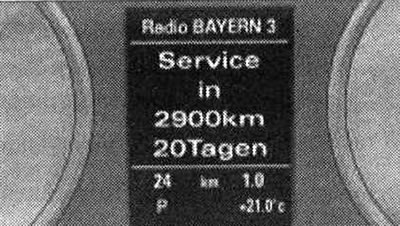
Display on the dashboard: indication of maintenance intervals
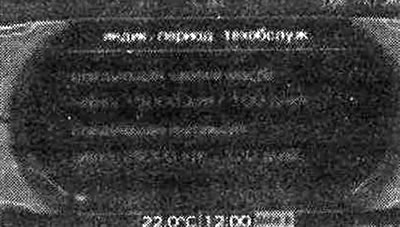
Display: indication of maintenance intervals
The service interval indicator shows that the vehicle needs to undergo service. Type of upcoming service (preventive inspection or oil change) can be found on the radio display or MMI in the "Car" menu. The display shows messages of 2 levels.
1. Service reminder: when a certain number of kilometers remain until the next maintenance, each time after the ignition is turned on, the display on the instrument panel shows the indication SERVICE IN — KM "-" DAYS (service in - km — days). The data on kilometers and days are independent of each other; if the time for service, calculated by days, has come, the display shows the inscription Service due! (technical inspection required!), despite the fact that the required mileage has not yet been covered. And vice versa - if the time for service, calculated by kilometers, has come, then the display again shows the message Service due! (technical inspection required!), despite the fact that the displayed period in days has not yet expired. The remaining mileage and time are briefly displayed on the display each time the ignition is turned on.
2. Technical inspection required: if the time for maintenance has come, then immediately after turning on the ignition the message Service due! appears on the display (technical inspection required!). After a while, the standard display indication is switched on. Additionally, a sound signal is emitted.
View service information (number of kilometers and days until the next service)
In the "Car" menu you can find out the number of kilometers and days remaining until the next oil change and the next service. To do this, select the function key CAR → Service interval display (frequency of TO). In new cars, during the first 500 km of mileage, the display may not show all the information.
Resetting the service interval indicator
After the service, Audi resets the display. The driver can only reset the oil change display. To do this, select the function key CAR → Service interval display (frequency of TO) → Reset oil change interval (oil change reset). After resetting the oil change indicator, the next oil change will be required in 15,000 km or 1 year (regular maintenance).
Caution! If the vehicle battery is disconnected, the service interval indicator parameters cannot be calculated and the service reminder is not displayed. Please note that compliance with the service intervals is crucial to ensure the longevity and safety of the vehicle. This applies in particular to the engine. Even with low mileage, the maximum service interval must not be exceeded. Do not reset the indicator during the oil change period, otherwise the indicator will be incorrect. If the battery terminals are disconnected, the service interval indicator remains unchanged. If the service was not performed by a specialist workshop, the oil change indicator can only be set to the "permanent service interval" of 15,000 km. To retain the right to the "LongLife" reduced service interval, the oil change indicator must be reset by a specialist workshop.
Refers to vehicles: with on-board computer
The on-board computer provides information on average fuel consumption and average speed, current fuel consumption, fuel range, travel time and number of kilometers traveled.
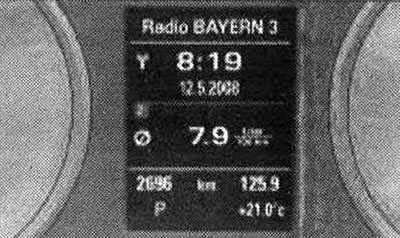
Trip computer: average fuel consumption
The on-board computer analyzes and can sequentially display the following information on the instrument panel display.
Fuel range
The display shows the range in kilometers. This display shows how many kilometers the car can still travel with the actual remaining fuel in the current driving mode. The range by fuel is counted in 10 km increments.
Average fuel consumption
The display shows the average fuel consumption in l/100 km, determined since the last memory reset. Thanks to this indication, you can select the driving mode with optimal fuel consumption.
Current fuel consumption
The display shows the current fuel consumption, measured in l/100 km. Thanks to this indication, you can select a driving mode with optimal fuel consumption. Consumption is calculated for each 30-meter section of the road. When the car is stationary, the indication switches to l/h (liters/hour).
Average speed
The display shows the average speed in km/h calculated since the last time the memory data was cleared.
Time of movement
The display shows the travel time counted since the last time the memory device data was deleted.
Number of kilometers traveled
The display shows the number of kilometers traveled since the last time the memory data was deleted. When the battery terminals are disconnected, all stored values are deleted from the memory.
Refers to vehicles: with on-board computer
The on-board computer is equipped with two automatic operating memory devices.
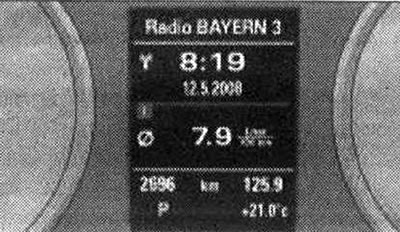
On-board computer: storage device 1
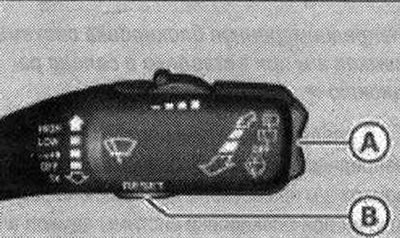
Windscreen wiper control handle: on-board computer controls
By pressing the reset button "Reset" "B" the functions of the on-board computer 1 and 2 are switched. Which of the memory devices is currently on can be determined by the number displayed on the display. The appearance of number 1 on the display means the indication of data from the one-time memory device (on-board computer 1). The appearance of number 2 on the display means that the general storage device data is indicated (on-board computer 2).
One-time storage device (on-board computer 1)
The one-time memory device stores information about movement from the moment the ignition is turned on until the moment it is turned off. When movement is resumed within 2 hours after the ignition is turned off, new values are added to the already stored movement information. If the movement break lasts more than 2 hours, then after the movement is resumed, the memory device data is automatically reset.
General storage device (on-board computer 2)
Unlike a one-time storage device, a shared storage device cannot automatically delete data. This allows you to set a time period for analyzing information or movement data.
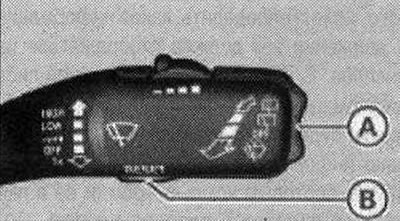
Windscreen wiper control handle: on-board computer controls
The trip computer is controlled by 2 switches mounted in the windshield wiper control handle. Press the upper or lower side of the function switch "A". The display shows the vehicle's movement data in sequence. The trip computer can only be controlled when the ignition is on. When the ignition is turned on, the display shows the function selected before the ignition was turned off. In addition to the trip computer data (on-board computer 1 or 2) the display also shows information on other systems. To switch the display of this information, briefly press and release the "Reset" button "B".
Setting zero values
To delete one current parameter of the trip computer, select the required function and hold down the "Reset" "B" button for at least 1 second. Using the "Reset" button, you can individually reset the following values to zero: average fuel consumption; average speed; time of movement; number of kilometers traveled. In addition, it is also possible to simultaneously delete all values of the one-time and general memory device. When disconnecting the battery terminals, all stored values are deleted from the memory device.
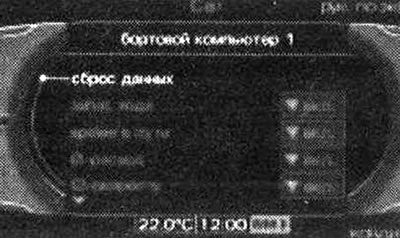
MMI display: on-board computer
Basic settings for the on-board computer are made in the radio or MMI.
Select: CAR function key → Instrument cluster (instrument cluster) → On-board computer 1 (on-board computer 1) or On-board computer 2 (on-board computer 2). In the data reset menu, it is possible to reset all the values of the one-time and general memory device at once. In addition, it is possible to determine what information about the vehicle's movement should be displayed on the display. If any information about the movement is disabled, this information will not be displayed on the display. However, the information continues to be analyzed by the on-board computer, and it can be displayed at any time.