



Table of contents: Removal ↓ Installation ↓
Removal
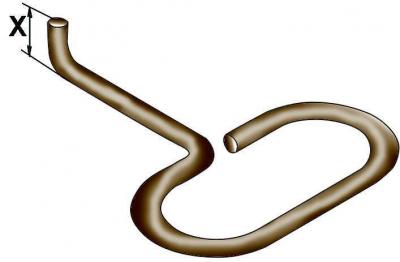
Fig. 18–55. Tool made of 3 mm diameter wire for removing the ventilation grille from the central section of the instrument panel: X = 6 mm
Make a tool from 3 mm diameter steel wire to remove the ventilation grille from the central section of the instrument panel (Fig. 18–55).
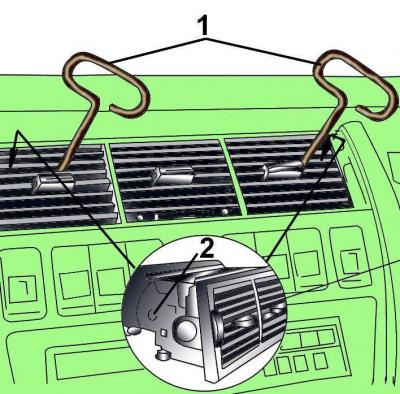
Fig. 18–56. Using the tool (1) installed in the holes (2) to remove the ventilation grille from the center section of the instrument panel
Secure the device through the ventilation grille into the holes in its housing (Fig. 18–56). Carefully remove the ventilation grille from the central section of the instrument panel.
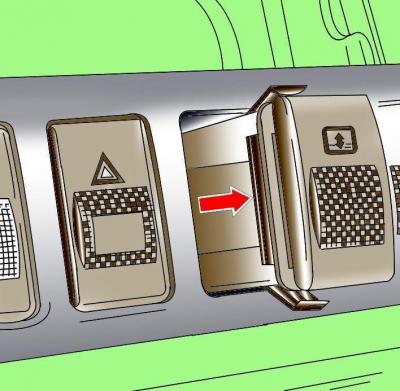
Fig. 18–57. Removing the switch from the center section of the instrument panel
Press from the back to remove the switch from the center section of the instrument panel (Fig. 18–57).
Disconnect the electrical connector from the switch and remove the switch.
Installation
Connect the electrical connector to the switch.
Insert the switch into the center section of the instrument panel and press it until it locks firmly into place.
Install the ventilation grille into the center section of the instrument panel.